FACILITIES & OPERATIONS
PRODUCT 01
SlotMap / SlotPlan Studio
Visual custodial workload, zone, route, and staffing planning for schools, colleges, and service partners.
K–12 & higher educationWorkload planning
Explore SlotMap ↗OPTIMA LABS · INDEPENDENT SOFTWARE
Thoughtful software should make complex decisions feel simpler. From planning an entire school campus to managing your family's money, Optima Labs puts clarity and control in your hands.
THE OPTIMA LABS PRODUCT FAMILY
One company, two focused applications. Each is designed around a real need instead of a one-size-fits-all platform.
Visual custodial workload, zone, route, and staffing planning for schools, colleges, and service partners.
Know where your money goes, stay ahead of bills, and see how financial decisions shape your future.
THE THINKING BEHIND SLOTMAP
When building layouts, cleaning expectations, staffing hours, and route assignments live in different places, it's hard to see the full picture.
SlotMap brings those planning conversations together—so your team can work with a clear visual plan, test assumptions, and explain the decisions behind it.
See how it works ↗Turn campus and building layouts into planning surfaces everyone can understand.
Connect areas, service expectations, zones, and routes into a practical operating plan.
Model staffing needs and compare choices using assumptions you can inspect and adjust.
■ SLOTMAP / SLOTPLAN STUDIO
For one building or an entire district, SlotMap makes it easier to evaluate how custodial coverage comes together.
Bring buildings, mapped spaces, and planning assumptions into one understandable view.
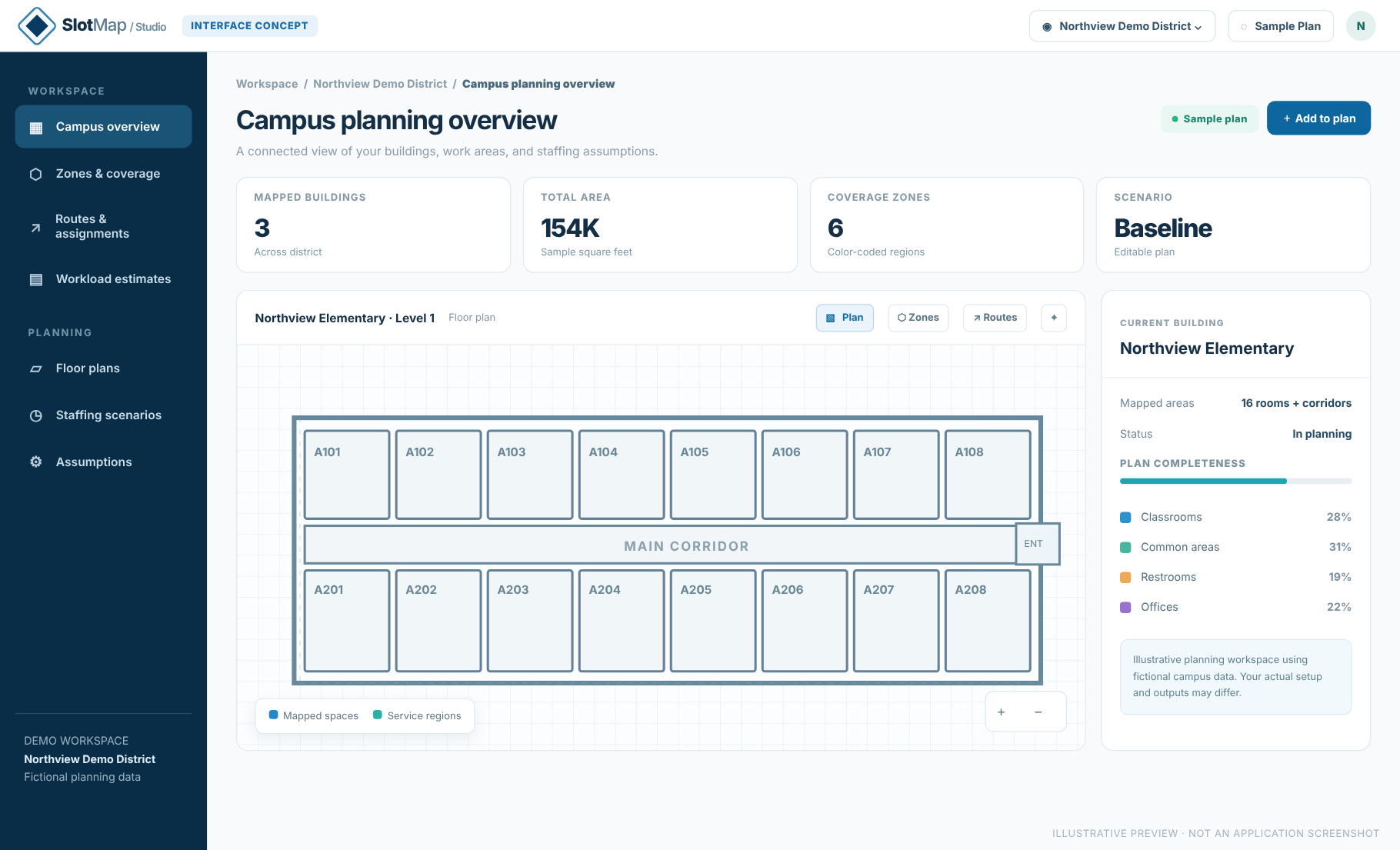
SlotMap gallery visuals illustrate planning workflows with fictional data. They are not screenshots of the current desktop release.
PLANNING WITH PURPOSE
Not another complicated system to maintain. A focused planning toolkit for the decisions facility leaders make every day.
Work from a visual representation of your buildings to plan areas, boundaries, and operational coverage.
BUILDINGS & SPACESOrganize service areas into clear assignments and create a shared visual language for the team.
ZONES & TERRITORIESThink through how people move from space to space, including connected work areas and routes.
WORKFLOW PLANNINGExplore APPA-informed starting assumptions, with the flexibility to refine area-specific service expectations.
ESTIMATES, NOT TIME CLOCKSEstimate labor requirements and labor cost from user-provided inputs—not actual payroll or financial records.
WHAT-IF PLANNINGRevisit the plan when buildings change, expectations shift, or staffing needs a second look.
See the possibilities ↗YOUR ENVIRONMENT. YOUR WAY.
SlotMap is designed for organizations that need to understand and communicate how facility work is organized—not just track what happened yesterday.
Build consistent coverage plans across schools, examine staffing changes, and prepare for the next school year with better visibility.
Make sense of varied buildings, service requirements, and campus-wide coverage in one practical planning process.
Structure workloading and routes, evaluate proposal assumptions, and communicate how the plan comes together.
MORE THAN A ONE-TIME MAP
The most useful plan isn't the one you create once. It's the one you can return to whenever the campus changes.
Talk through your use case ↗Map your spaces and establish the coverage, service scope, and assumptions behind your plan.
Consider new routes, different staffing levels, or changes to workloading inputs before committing resources.
Revisit it for a renovation, new school year, staffing adjustment, budget conversation, or operational change.

A NOTE ABOUT OPTIMA LABS
Optima Labs builds practical software around a simple belief: the best tools begin with a deep understanding of the people who use them.
SlotMap draws on hands-on experience in educational facilities and multi-site operations. Budget Life brings the same clarity-first philosophy to everyday household finances.
Across both products, the goal is straightforward: help people organize complex information, plan confidently, and stay in control.
A FEW GOOD QUESTIONS
Questions about a product? Find a quick answer or reach us for details.
Budget Life is offered as a one-time Windows desktop license at an introductory price of $29.99. See licensing details or contact us about purchasing.
No mandatory subscription or cloud connection. Budget Life prioritizes manually entered transactions so you can actively track each expense; optional CSV imports are available for convenience.
No. In-house district custodial teams, higher education departments, and contract service providers all have reasons to map their spaces and evaluate staffing and coverage plans.
No. SlotMap is a staffing and logistical planning tool—not an attendance tracker, time clock, or HR system.
No. Labor estimates use assumptions provided by the user. They are planning scenarios, not actual accounting, contract profitability, or live payroll data.
That's a core goal. Teams can revisit plans for service-level discussions, staffing adjustments, renovations, and district-wide reviews.
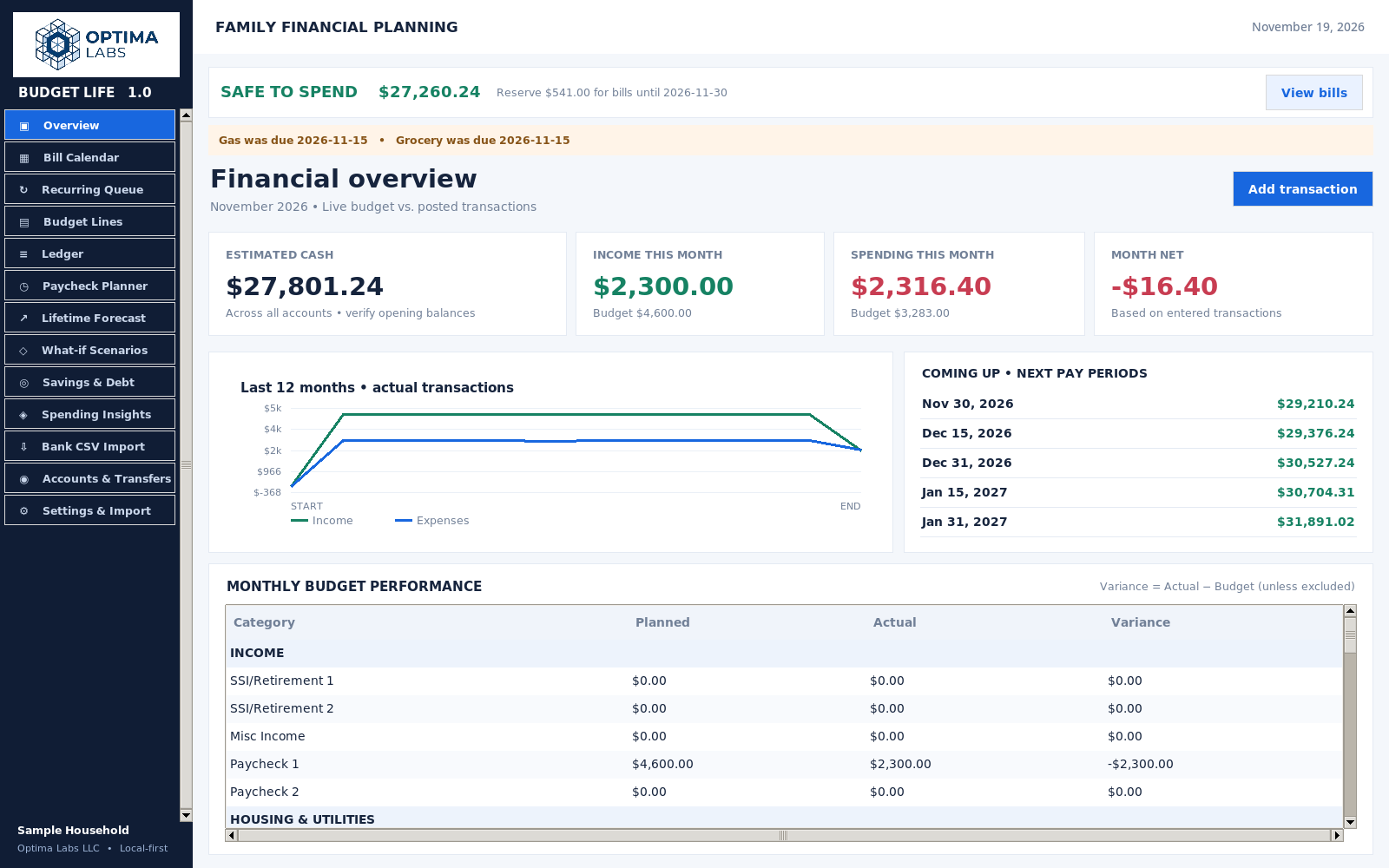
Budget Life uses screenshots of the v1.0 desktop application with sample household data. SlotMap images are illustrative examples of planning workflows, not screenshots of the current release.
QUESTIONS ABOUT EITHER PRODUCT?
Ask about SlotMap, request Budget Life licensing details, or reach out with general product questions.
Prefer to reach us directly?
[email protected] ↗